The CorrCoach experience
See the whole training loop before you choose a lane.
Plan on the web, decide on iPhone, execute on Apple Watch, then use the workout receipt to make the next decision clearer.
Find my laneProduct-proof note: every screenshot below comes from a current CorrCoach interface using seeded synthetic athlete, workout, health, and account data. No customer data is shown.
One workout, four connected surfaces.
Each surface answers a different training question. The plan and history stay connected as the workout moves from decision to execution to review.
Web
Shape the week before it reaches your wrist.
The planning view keeps the training lane, schedule, next key session, weekly balance, and plan limits in one decision surface.
Goals, available days, completed work, constraints, and approved connected data can narrow what CorrCoach proposes next.
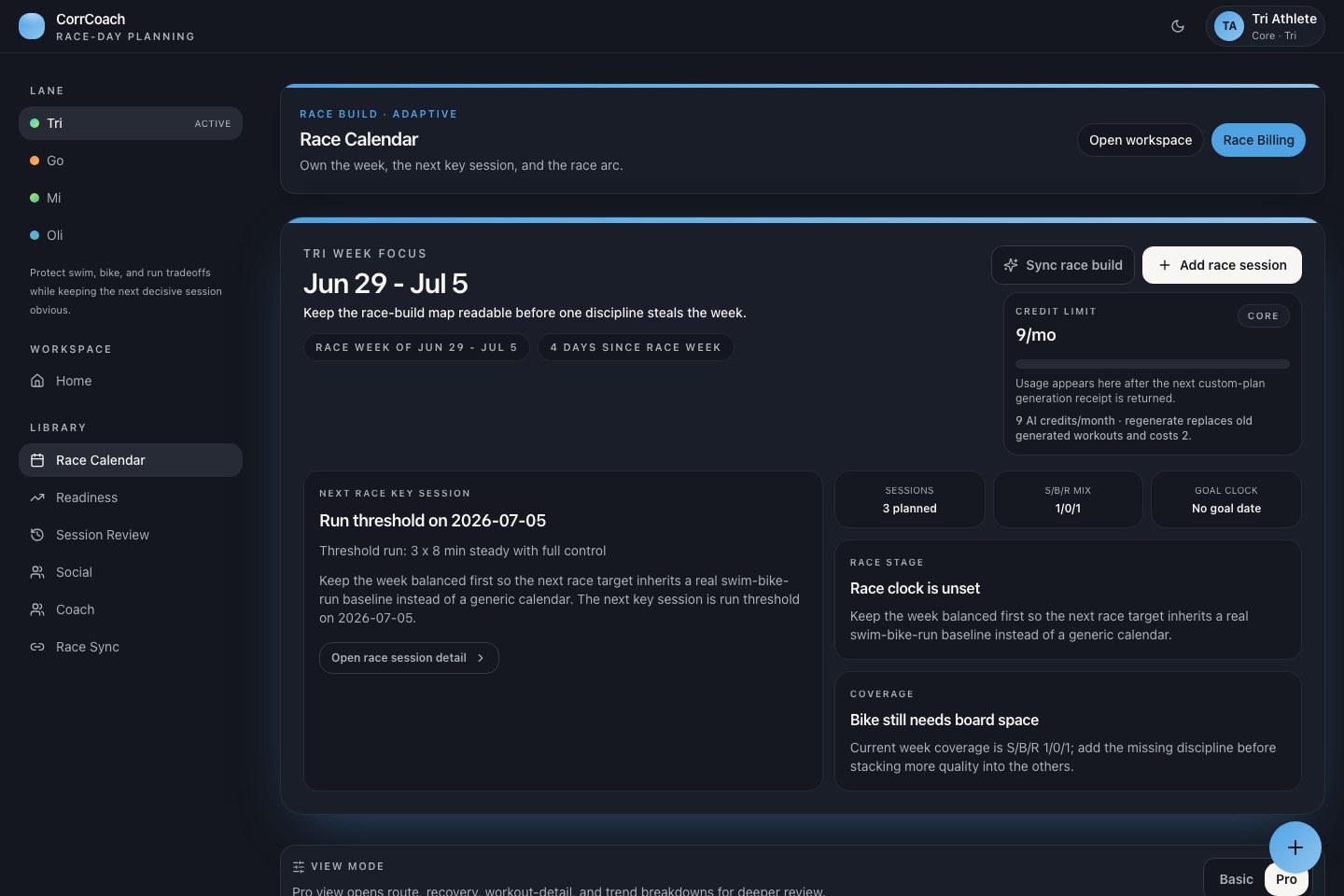
Current Web interface shown with seeded synthetic data. iPhone
Review the plan where daily decisions happen.
The iPhone plan board carries the race-build priority, the decisive session, readiness context, and Watch handoff without rebuilding the week.
You remain in control: review the plan, change context, and approve important updates before they affect training.
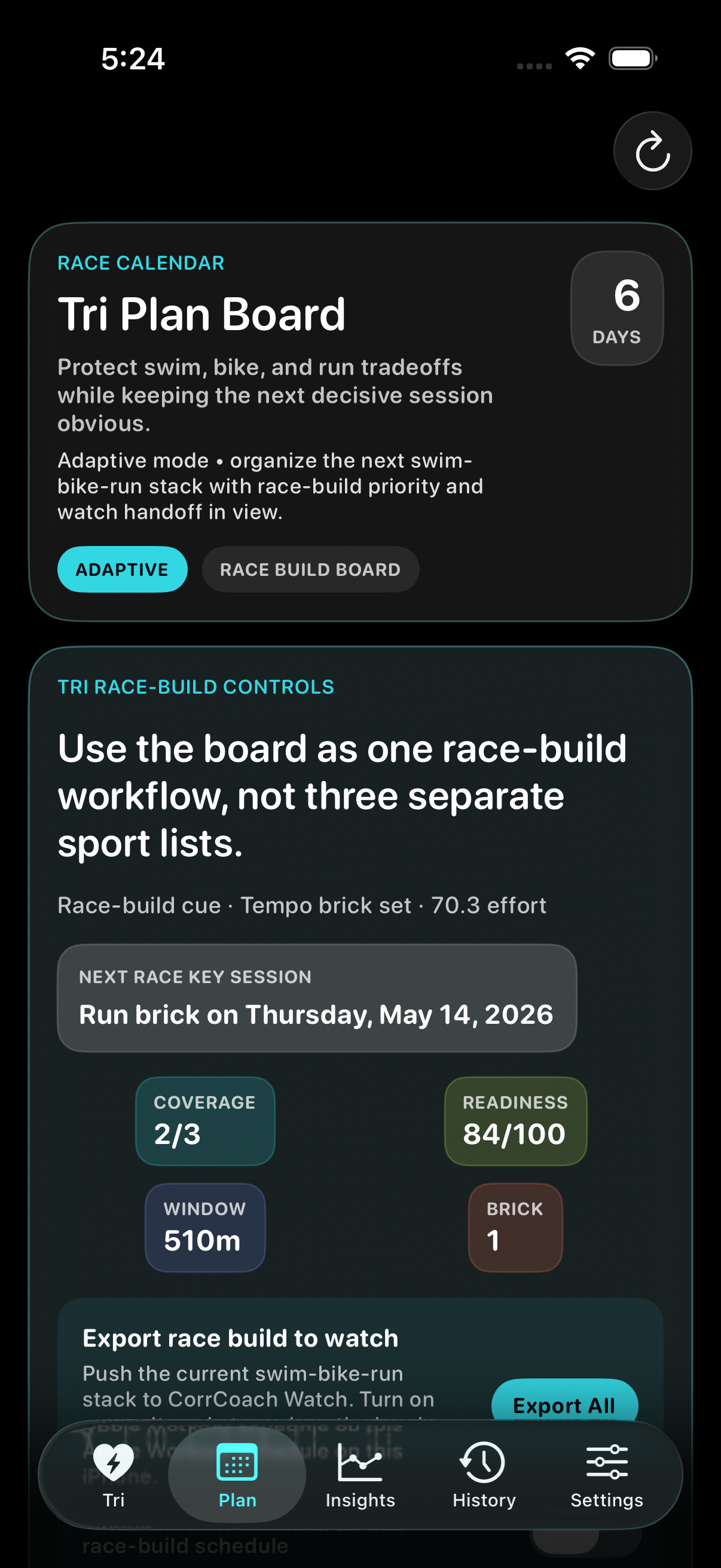
Current iPhone interface shown with seeded synthetic data. Apple Watch
Execute the session with the cue in view.
The Watch runtime shows the current interval, elapsed time, heart rate, and the next cue while the workout is active.
Watch availability depends on device, permissions, product tier, and release channel. Supported completed workouts can return for review.
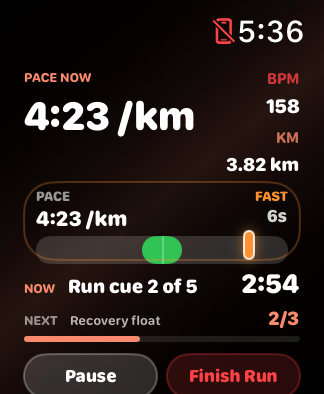
Current Apple Watch interface shown with seeded synthetic data. Workout receipt
Bring the completed work back to the next decision.
History keeps completed workout receipts, heart-rate context, compliance, and actual-versus-planned review available after training.
Where permissions and usable samples are available, completed history can inform later planning without exposing private route or health details on public pages.
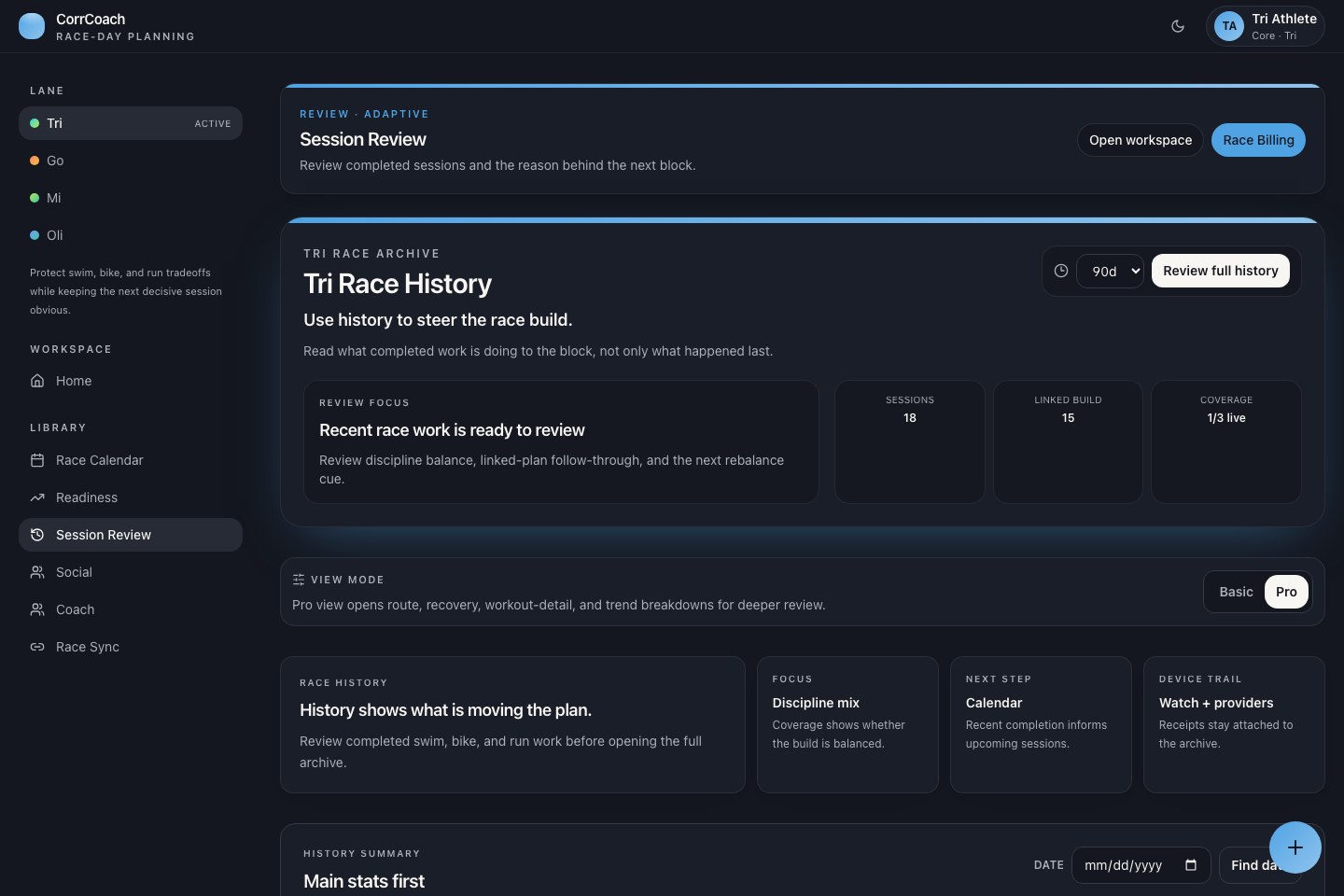
Current Workout receipt interface shown with seeded synthetic data.
Start with the lane, then let your data narrow the week.
Tri, Go, Mi, and Oli do different jobs. Two athletes with the same broad goal do not need the same week once schedule, history, recovery, equipment, and constraints are visible.
- Goal and lane
- Race, running, strength, hybrid, or season-prep goals establish the job the week needs to do.
- Schedule and constraints
- Available days, session length, equipment, travel, injury notes, and preferences keep the proposal realistic.
- Training and recovery data
- Approved Apple Health, Apple Watch, Strava, completion, route, sleep, HRV, pace, power, and lifting inputs can refine later decisions when usable samples are available.
- Private AI boundary
- CorrCoach does not send fitness data to OpenAI or Anthropic to train their models. Product tier and privacy settings determine which CorrCoach planning path is available.
Need the lane differences before starting? Compare Tri, Go, Mi, and Oli with plan and device details.